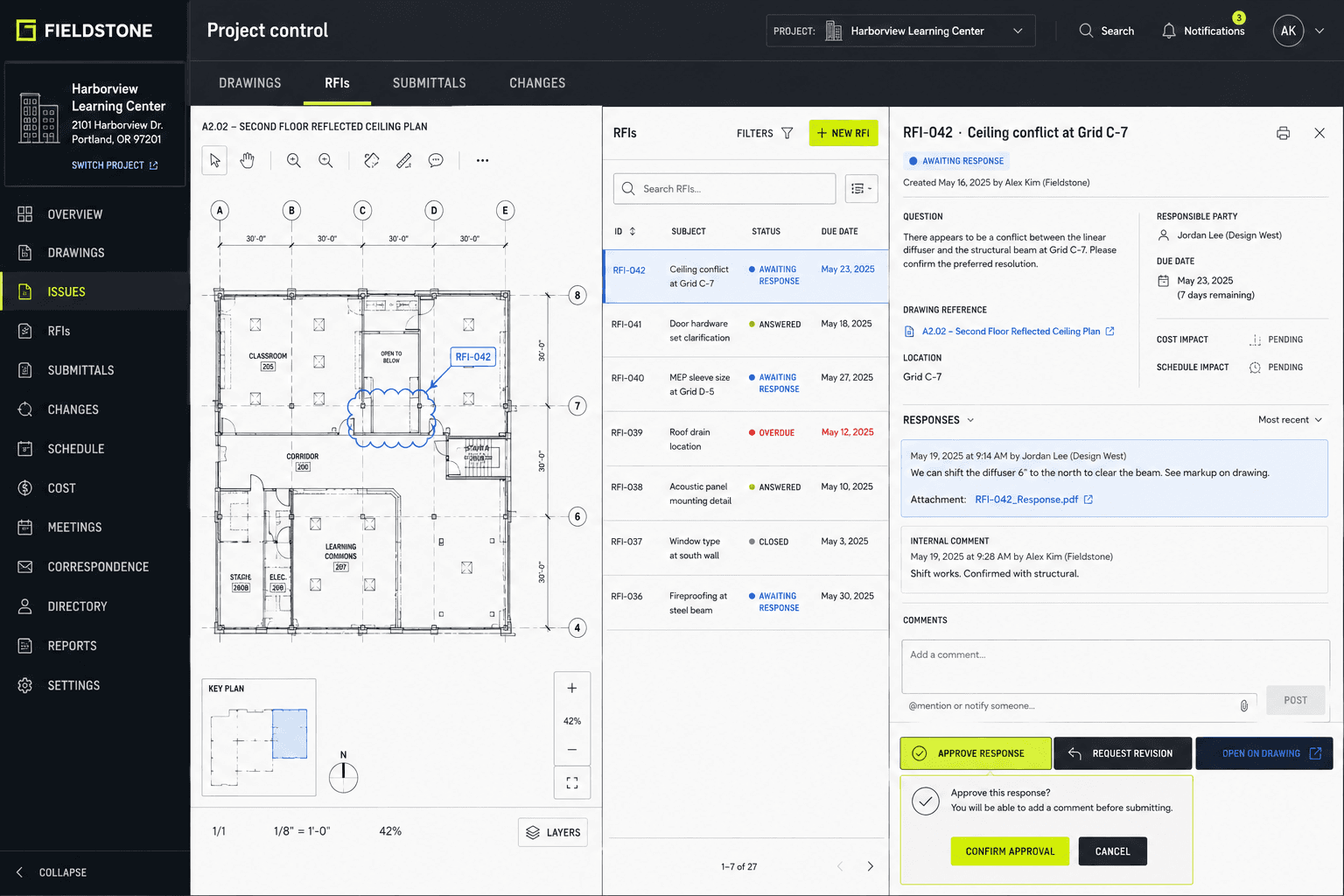
“We need a client portal” sounds like a feature request, but it usually describes a service spanning customers, employees, documents, messages, identity, and support. A login screen is the smallest visible part. The difficult decisions concern who may act for whom, which record is authoritative, what happens when access changes, how a user recovers, and which work still belongs in email or a phone call. This guide turns the idea into a plan that can be reviewed by operations, security, privacy, accessibility, and customer-service owners before development commits the business to the wrong workflow.
The central ideaPlan a client portal as a complete service: real users and journeys, object-level permissions, proportionate identity, governed documents, trustworthy status, accessible tasks, and supportable operations. A login is useful only when the business can explain who may do what, with which record, and what happens when normal conditions fail.
Map users, goals, and the journey beyond the portal
List real user groups and the jobs each one must complete. “Client” may include an individual buyer, an assistant acting on behalf of an executive, several contacts at one company, a parent or caregiver, or a former customer who still needs records. Internal users may include service staff, finance, managers, support, and administrators. Interview representatives and observe the current process so the portal follows user needs rather than the departments or database tables that happen to exist.
Trace each journey from the event that starts it to the evidence that ends it. A document request may begin in a case-management system, reach a customer by notification, require upload and review, return for correction, and close only after internal approval. Include calls, mail, meetings, and accessibility accommodations. The U.S. Digital Services Playbook emphasizes the whole experience because a polished portal cannot repair an unexplained letter, an unreachable support channel, or a staff process that never updates the online status.
Decide what the portal will not do in its first release. A client may view invoices without paying them, upload documents without editing case data, or message a team without expecting live chat. State those boundaries in product scope and user-facing language. Ambiguity causes users to assume that sending a message pauses a deadline or that editing a profile updates every downstream record. When an action has legal, financial, or operational consequences, explain the authoritative channel and confirmation.
- External and internal user groups, including delegates and former clients
- End-to-end journeys across online and offline touchpoints
- Evidence that proves each important task is complete
- First-release boundaries and authoritative alternative channels
Design permissions from relationships and actions
Create a permission matrix before designing navigation. For every role, specify which organization, account, case, person, message, invoice, or document it can list, view, create, change, approve, download, share, and delete. Test object-level rules, not only menu visibility: hiding an Edit button does not prevent an unauthorized request to the underlying service. OWASP’s application and API guidance treats authorization at object, property, and function levels as distinct areas that require verification.
Model relationships that change over time. A consultant may serve several client organizations; a client employee may change departments; a guardian’s authority may expire; a staff member may cover a colleague’s cases temporarily. Define who grants and revokes access, which evidence is required, when access expires, and whether another person approves sensitive changes. Avoid one broad “admin” role when narrower responsibilities can reduce accidental access and make support decisions clearer.
Write misuse and mistake scenarios with the ordinary ones. What happens if a user guesses another record identifier, follows an old download link, uploads to the wrong case, or remains signed in after leaving an organization? What can support staff impersonate or view while helping? Decide which sensitive actions need fresh authentication, confirmation, notification, or a second approver. These controls must fit risk; adding friction everywhere can drive customers back to less-controlled email workarounds.
- View, create, change, approve, download, share, and delete by role
- Organization and record relationships checked on every action
- Grant, review, delegation, expiry, and revocation processes
- Misuse, stale access, support, and mistaken-action scenarios
Plan identity, sign-in, recovery, and support as one system
Determine how much confidence the business needs in a person’s claimed identity, then choose enrollment and authentication proportionate to the consequence of misuse. NIST SP 800-63-4 separates identity proofing, authentication, and federation, which helps teams avoid treating them as one login setting. A low-risk resource library and a portal exposing sensitive account records may need different enrollment evidence, authenticators, session behavior, and recovery controls. Obtain specialist review where regulation or high-impact harm is involved.
Design account creation and recovery before the happy path. Decide who invites a user, how invitations expire, what happens when an email address changes, how a lost authenticator is replaced, and how support verifies a caller without asking for secrets it should never collect. Recovery can bypass strong sign-in if it is weak. Record exceptional access and notify the user when appropriate, but do not expose sensitive details in email or text merely because those channels deliver the alert.
Make authentication accessible and understandable. WCAG 2.2 includes accessible-authentication criteria, while its broader principles require operable controls, clear instructions, identifiable errors, and predictable behavior. Support password managers and paste where compatible with the chosen assurance approach, give time warnings where sessions expire, preserve recoverable work, and offer a human route for users who cannot complete the standard flow. Test with keyboard and assistive technology instead of relying only on an automated scan.
- Identity proofing and authentication matched to actual consequence
- Invitation, expiry, account change, recovery, and revocation flows
- Support verification that does not depend on collecting secrets
- Accessible sign-in, errors, timeouts, and recovery alternatives
Give documents and personal data an explicit lifecycle
Inventory each data class the portal will receive or expose: profile details, contracts, statements, identity evidence, project files, health or financial information, messages, and activity records. For each one, record the purpose, source, authoritative system, viewers, allowed uses, sharing, storage, retention, correction, export, and deletion. The NIST Privacy Framework provides a risk-management structure for identifying and governing data processing rather than assuming that a privacy notice alone resolves these choices.
Define document behavior precisely. Specify allowed types and sizes, malware handling, versioning, duplicate names, preview, download, replacement, signatures, expiration, and review status. A user needs to know whether “uploaded” means received, scanned, accepted, or approved. Preserve a defensible history where the business needs one, but avoid retaining every artifact forever without a purpose. Decide how the team responds if a customer uploads the wrong person’s information or requests correction.
Minimize copies and unclear ownership. Emailing every uploaded file to several employees can defeat the access controls and retention designed into the portal. Prefer a notification that points authorized users to the controlled record when the workflow permits. If an external storage, signature, analytics, or messaging provider handles data, document what crosses the boundary, which account owns the service, applicable terms, deletion behavior, failure handling, and the process for changing vendors.
- Purpose, source, viewers, use, sharing, retention, and deletion by data class
- File validation, scanning, versions, status, and correction behavior
- Clear difference between receipt, review, acceptance, and approval
- Third-party data boundaries, ownership, failure, and exit process
Make status and communication reliable without duplicating truth
Choose the system of record for cases, appointments, invoices, documents, and contact preferences. The portal can present or initiate work without becoming authoritative for every field. Document when information is refreshed, what a stale status looks like, and how conflicting edits are resolved. If staff update a separate system, test the delay and failure path so customers are not shown “complete” while the operational team still sees “waiting.”
Treat notifications as prompts, not records. Define the event, recipients, channel, safe content, timing, retry behavior, preferences, and link destination for each message. Avoid putting confidential documents or detailed account data into an email subject or lock-screen notification. Let users distinguish required action from general news, and provide an in-portal history when the communication itself matters. Explain which channels are monitored and whether replying to an automated email reaches the service team.
Design for missed and repeated messages. Addresses bounce, phones change, filters block mail, and providers can deliver late. Show important pending work inside the portal, allow appropriate channel changes, and give staff visibility into delivery without exposing technical noise to clients. For deadlines or high-consequence notices, business and legal owners should determine whether digital notification is sufficient and which fallback is required. A provider response marked delivered is not the same as proving a person read and understood it.
- Authoritative system and freshness expectation for every visible status
- Notification event, audience, safe content, channel, and destination
- Preferences, bounce handling, retries, and monitored replies
- Fallback for deadlines and other high-consequence communication
Specify accessible tasks, operations, and a controlled rollout
Turn journeys into acceptance examples. Test a new invitation, returning sign-in, delegate access, upload, validation error, correction, download, message, expired session, revoked user, and support recovery. Include narrow mobile screens, zoom, keyboard-only operation, visible focus, screen-reader announcements, clear field labels, error summaries, and preservation of entered data. WCAG is a technical baseline, not proof that the service makes sense; conduct usability work with representative users, including people with disabilities.
Define operation before launch: monitoring, backups and restoration, security updates, audit review, support hours, escalation, incident communication, content ownership, and changes to client organizations. Decide which events need logs and how long those records serve a real business, security, or legal purpose. Limit access to operational data. OWASP ASVS can help make technical controls testable, but the business must still assign owners and decide how a finding becomes remediation.
Pilot with a bounded group whose cases represent ordinary and difficult paths. Prepare migration, invitations, training, support scripts, feedback, rollback criteria, and a manual continuity process. Measure task completion, help requests, error patterns, accessibility findings, and operational exceptions—not just account activations. Expand when evidence shows the team can support the service. A portal can reduce some email and calls, but it also creates identity, access, data, and support responsibilities that remain after launch.
- Acceptance across success, errors, delegation, expiry, and revocation
- Manual accessibility and usability testing with representative users
- Monitoring, recovery, updates, logs, support, and escalation owners
- Pilot, continuity, rollback, feedback, and expansion criteria